

Your money, protected at every step.
Your face or your fingerprint to sign in, a code before any money leaves, a check before risky payments — and if something looks wrong, freeze your account in one tap.
If something looks wrong, freeze it in one tap.
Each sign-in from a new device is emailed to you, with the device, the place and the time. If it wasn't you, one tap in that email freezes your account — no need to sign in first.
- Nothing can leave — and money can still come in.
- Every other device is signed out — and your cards are frozen too.
- Unfreeze with your password and a code we email you — your cards stay frozen until you turn each one back on.
Only you can sign in.
Your password is only the first step. Add an authenticator app, and see every device signed in to your account.
Two-step sign-in
A code from an authenticator app at each sign-in, plus backup codes in case you change phones.
Devices you can see
Every device signed in to your account, and a button to sign out everywhere at once.
New sign-in emails
A new device? You're emailed straight away, with a one-tap freeze if it wasn't you.
Sign in with a look or a touch.
Turn it on once on your phone, and your face or your fingerprint opens Sylmera — no password to type, no email code to wait for. Your password still works.
- Faster — one look or one touch, and you’re in.
- Safer — it only works on sylmera.com, so a fake site can’t use it.
- Private — your face and your fingerprint never leave your phone; Sylmera only receives a key that proves it’s you.
- Lost your phone? — sign in with your password and the code we email you, then remove it. Without your face, your fingerprint or your phone’s code, nobody can use it.
Told the moment money moves.
Choose how each kind of alert reaches you — by email, as a notification on Android phones and computers, or both. The bell in Sylmera keeps everything, so nothing is ever lost.
- Topic by topic — money, safety, your team, the Marketplace, updates.
- Safety first — a new sign-in or money leaving is always emailed to you, whatever you choose.
- Your lock screen, your choice — show the amounts, or keep amounts and names hidden.
- No more news and offers in a tap — alerts about your money still reach you.
A code before any money leaves.
Sending, converting, withdrawing: your transaction code is asked each time money leaves your account — even if someone is already signed in on your phone.
- 4 to 6 digits — that only you know.
- Asked again for each payment — never remembered for you.
- Forgot it? Reset it safely from the app.
Real people, verified.
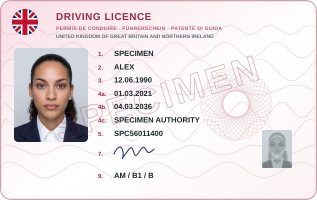
Every member shows an identity document and takes a selfie, compared with the photo on the document. No money can move before identity is verified — so the people you deal with are who they say they are.
- An ID document and a selfie — for every member.
- Businesses checked too — on the official register where it exists, and by a person on our team.
- Told about every move — each payment in or out, and each change to your account.
Six reflexes that keep scammers out.
Scammers rush you and pretend to be someone you trust. These habits stop them.
We never ask for your codes
Sylmera will never ask for your password, your transaction code or your two-step codes — by phone, email or message.
Nobody needs you to "move" money
Someone who rushes you to move money to a "safe" account is a scammer. Stop, and freeze your account if in doubt.
Check where emails come from
Our emails only come from [email protected] and [email protected].
Know who you pay
Before you send to a member, the app shows their name and whether they are verified — check it's the person you expect.
Freeze first, ask after
If something looks wrong, freeze your account: nothing can leave, and money can still come in.
Talk to a person
Tell us in a few steps and a person on our team will answer.
A pause before a risky payment.
Before a first payment to someone new — or when something looks unusual — the app asks what the payment is for, and two or three quick questions. It takes a few seconds, and it helps stop scams before any money leaves.
- All clear? — the payment goes straight away.
- Sounds like a known scam? — we tell you why and what to check, then you decide.
- Someone guiding you? — we stop the payment, and nothing leaves your account.
- The last question is always the same — is anyone telling you what to answer?
The same payment twice? We check first.
A connection drops, a button is tapped twice, you’re not sure it went? If you send the same amount to the same person within 10 minutes, Sylmera stops and shows you the first one.
- You choose — don’t send it again, or send it again on purpose.
- Wherever money leaves — sending to members, banks, mobile money or crypto, paying a link, withdrawals and conversions.
- Your scheduled payments still go out — as planned, every time.
When something goes wrong, a person takes it from there.
Report a problem from the payment itself, in a few taps. You get a case number straight away, and you can follow it in the app and by email.
- A person looks at it — usually by the next working day.
- Every step in view — in Your cases, and by email.
- You can ask us to hold the money — if you were tricked or paid the wrong person, and it went to another Sylmera account in the last 30 days.
- A final answer within 15 working days — in writing; if we need longer, we tell you why and when.
Your data, your choices.
Decide who can find you on Sylmera, and download everything we hold about you whenever you need it. We never sell your data.
- Who can find you — by your Sylmera name, your email or your phone number — turn off any you’d rather keep private.
- In the UK and Europe — your email and your phone number stay hidden until you turn them on.
- Your data, ready in moments — a PDF that’s easy to read, or a PDF plus an Excel file for your accountant, confirmed with your transaction code.
- Kept for 7 days — then the file is deleted for good.
Freeze, then breathe.
Three steps, and your money stays where it is while you check.
Freeze
From the new sign-in email — without signing in — or in one tap in the app.
Nothing leaves
Payments out stop, every device is signed out, and money can still come in.
Unfreeze when you're ready
With your password and a code we email you. Then turn each card back on.
Questions about security
Keeping your account safe, in plain words — and a person on our team when you need one.
Safe from the first sign-in.
Open your account, turn on two-step sign-in, and keep every payment behind your own code.