

Opening an account
Who can join, what you need, and your first steps.
Before you start4
Anyone aged 18 or over who lives in a country where Sylmera is open. Only the country where you live counts — not your nationality or the country on your passport.
The sign-up form shows the countries that are open. If yours is not listed yet, you can ask us about it.
No. Opening an account is free, and so is adding money by bank transfer. When something does have a fee — a bank payment, a crypto withdrawal — you see it before you confirm, with the total.
- An email address you can open.
- A password of at least 10 characters, with an upper-case letter, a lower-case letter, a number and a symbol.
- Your name exactly as it appears on your identity document.
- Your country of residence — it sets the currency of your first balance.
Your phone number and home address can wait: they are asked for later.
No — one person, one personal account, and one email address per account. If an account already exists with your email, sign in or reset your password instead.
Your first steps4
You are signed in straight away. Four steps then make your account ready:
- Confirm your email — the link we send lasts 48 hours.
- Set your transaction code — 4 to 6 digits, asked every time money moves.
- Turn on two-step sign-in — recommended.
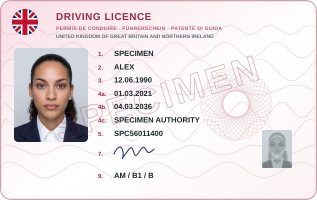
- Verify your identity — a photo of your ID and a short selfie.
Every money feature opens once your identity is verified. That is how we make sure everyone you deal with on Sylmera is who they say they are. Money that reaches you before then is kept for you. Most of it unlocks once you are verified; some deposits are checked by our team first. See Verifying your identity.
Confirmation links last 48 hours. Sign in and we send you a fresh one.
The currency of the country where you live — pounds in the United Kingdom, euros in the euro area, and so on. You can open other currencies afterwards. See Currencies.
Personal and business2
Yes. A business account is a separate account, with its own email and password. You can link it to your personal account and switch between the two with one tap, without signing in again. One personal account can be linked to up to three business accounts.
Sole traders, limited companies, partnerships, charities and non-profits. The person opening it must be a director or the CEO, own at least 25% of the business, or be authorised to open the account on its behalf. See Business accounts.
Inviting friends1
Your account has its own invitation link. Friends who join and verify their identity move you up the list for new features — for example, being first in line for new cards. No money is paid for invitations. You see each friend’s first name and initial only.